1. Introduction to the SantaTransit feature
SantaTransit is a new feature integrated into the SantaPocket application, allowing users to be proactiveSend and receive goods through the SantaPocket smart cabinet system.
You don't need to wait for the shipper to pick up or be bothered by calls, and are not dependent on traditional delivery - you just need to send the goods at a locker near your home and then the shipper will come pick up the goods at the locker without calling or interrupting your work!
Currently, the shipping feature has been launched at SantaPocket Cabinet - Address at 161 Truong Van Bang, City. Thu Duc and will expand to more locations in the near future.
2. Benefits of using SantaTransit
Proactively send goods at any time
You can send goods directly to the nearest SantaPocket cabinet without calling or making an appointment with the shipper.
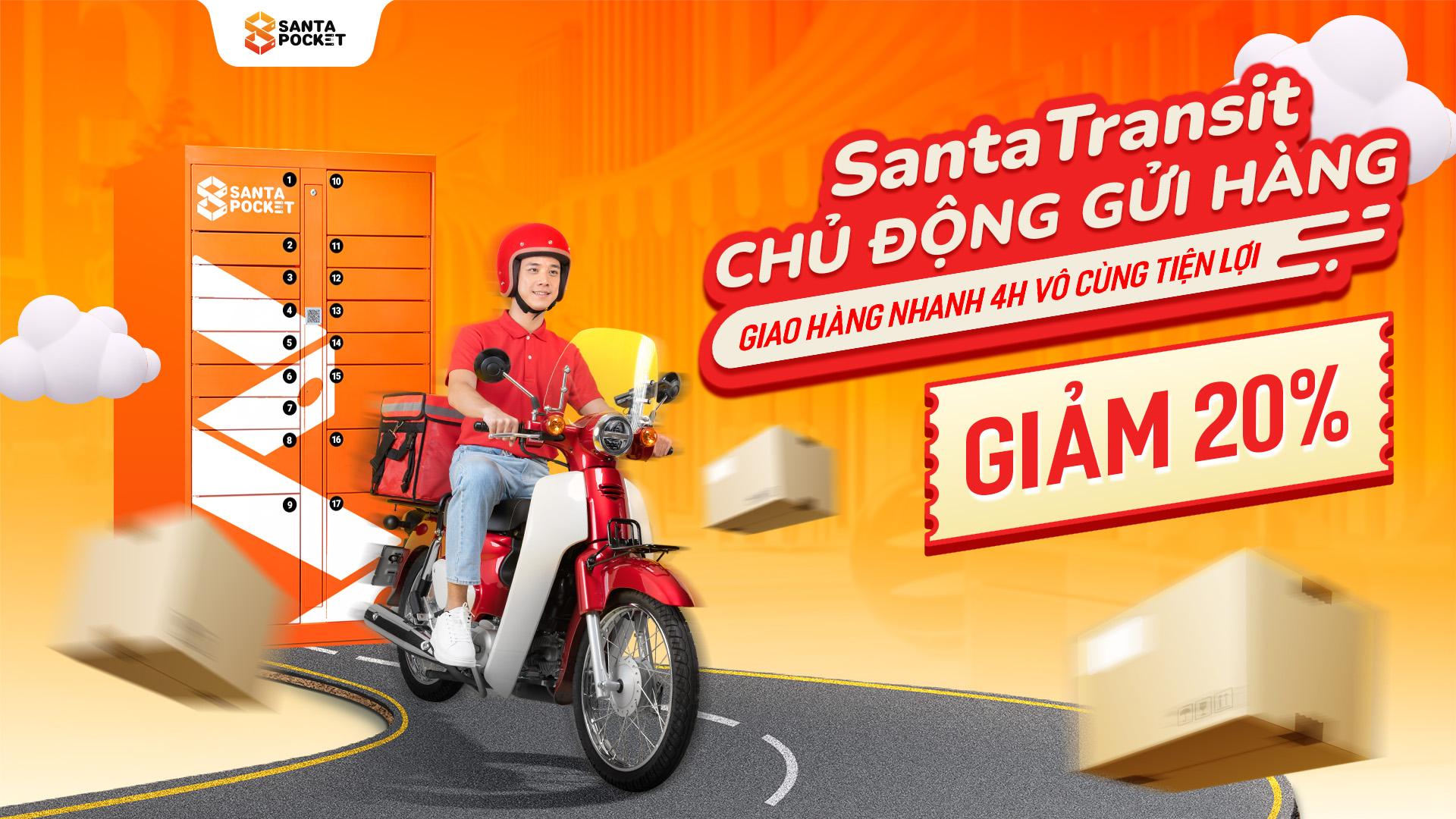
Fast delivery within 4 hours
When ordering before 4:30 p.m., the order will be delivered to the recipient within 4 hours, depending on cabinet location. Applies to districts in the inner city of Ho Chi Minh City
Note: The program only applies delivery to the following districts:
Districts 1,3,4,5,6,7,8,10,11, Tan Binh, Tan Phu, Phu Nhuan, Binh Thanh, Go Vap, District 12, Binh Chanh, Hoc Mon, Binh Tan, Thu Duc City.
Flexibly choose delivery location
Recipients can choose to receive goods at home or go to the nearest cabinet to receive them, depending on personal needs.
Save time – enhance experience
SantaTransit brings maximum convenience to modern users, especially busy people who need fast and uninterrupted delivery solutions.
Limited offer – 20% off for early orders
To celebrate the new feature, SantaPocket offers a 20% discount to users who experience SantaTransit, applicable to all orders. Applicable to delivery orders - Limited number of offers - Program may end early when the code runs out.
3. Instructions for using SantaTransit
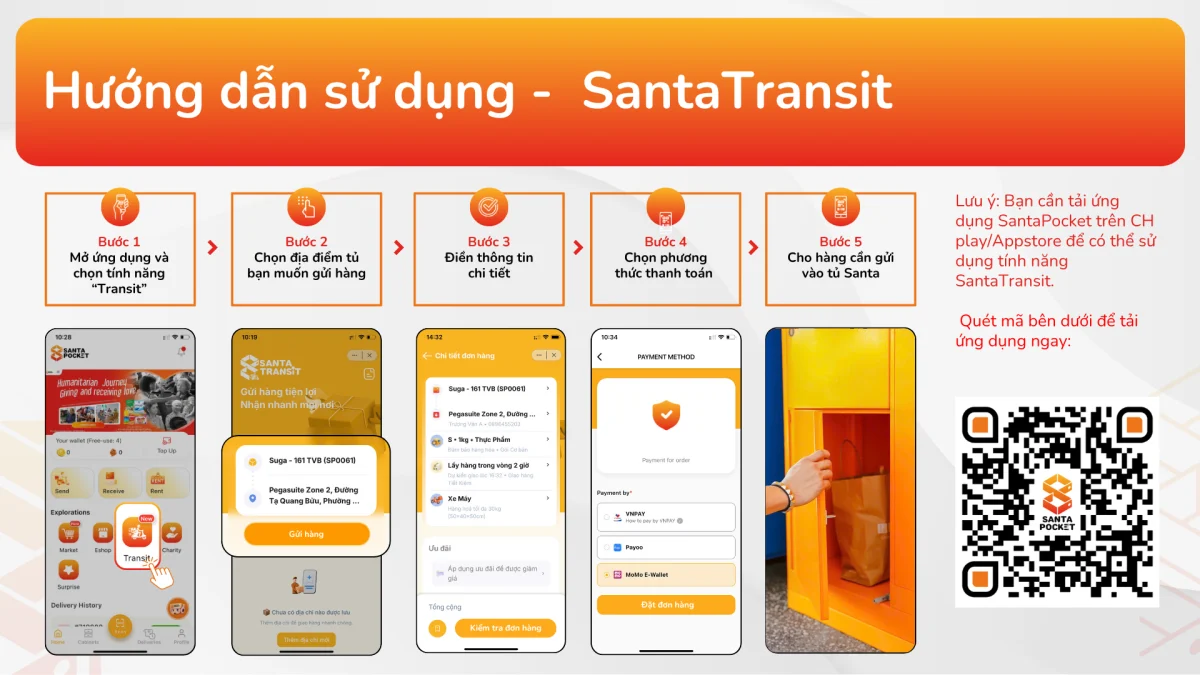
Step 1:Open the SantaPocket app and select the “Transit” feature
On the app's home page, select the itemTransitto begin the shipping process.
Step 2: Choose the locker location you want to send the goods to
The system will display a list of SantaPocket cabinets. Choose a suitable cabinet near you for shipping.
Step 3: Fill in order details
Enter recipient information, goods type, weight, size
Step 4: Choose payment method
You can pay through many forms such as:
- MoMo Wallet
- VNPay
- Payoo
- Bank transfer
Step 5: Put the goods to be sent into the SantaPocket cabinet
After completing the above steps, bring the goods to the cabinet and place the goods in the cabinet.
Download the SantaPocket app to experience it now
SantaTransit is now integrated on the SantaPocket app.
Download the app and experience it today to enhance your experience with delivery and receipt utilities that are smarter, more proactive and faster than ever.
https://santapocket.dynalinks.app/install