First time using a SantaPocket cabinet?
No need to worry! Follow the simple steps below to receive goods from your smart cabinet quickly and conveniently. With just a few taps, you will be able to get your items without having to wait.
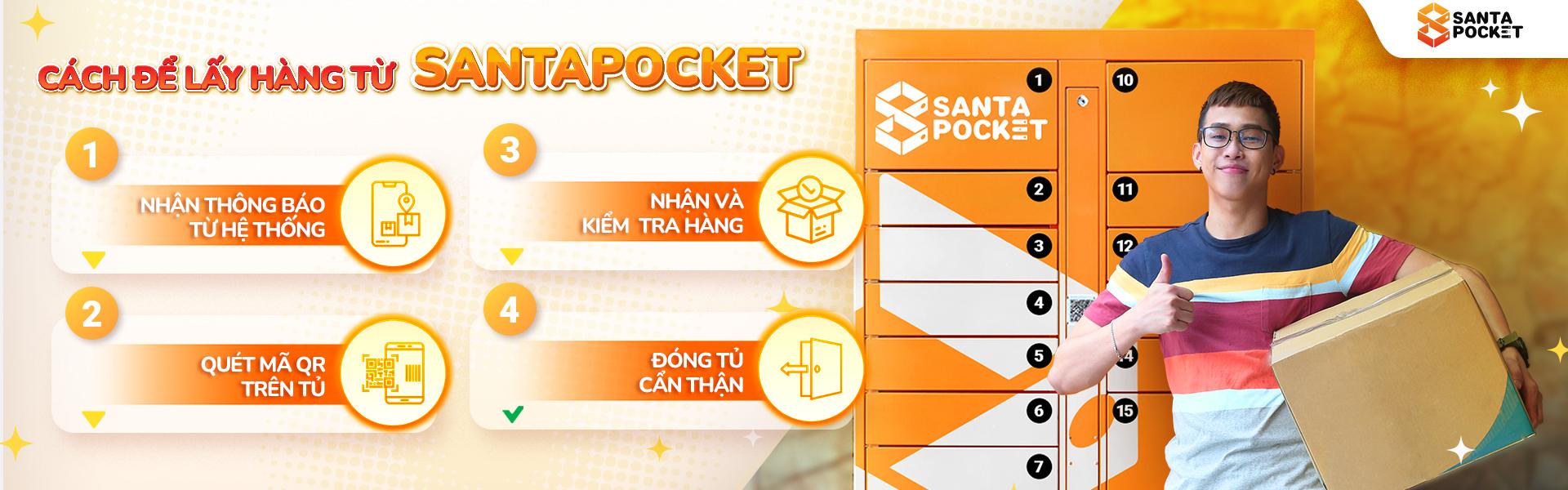
Step 1:Receive notifications from the SantaPocket application system
When you receive the order notification, you will proceed to the cabinet and access the SantaPocket application on your phone to receive the goods.
Step 2:Scan the QR Code on the cabinet and press"RECEIVE"
After scanning the QR code, you will see a list of pending orders. Select the order you want to pick up and click"Receive".
Step 3:Receive and check goods
After clicking receive goods, the drawer will automatically open. You just need to pick up the product and check your goods carefully.
Step 4:Close the cabinet door
After successfully picking up the goods, please close the cabinet door carefully!
Why should you use SantaPocket cabinets?
SantaPocket smart delivery cabinet helps you save time and effort, receive goods directly at the cabinet without having to wait or meet the delivery person. This is the optimal solution for busy people, helping you easily receive goods during flexible hours.
[elementor-template id="4585"]
Download the SantaPocket app now to use the SantaPocket cabinet and experience this extremely time-saving utility today:
https://santapocket.dynalinks.app/install